
Screenshot to Text
Screenshot wording, identifiers and links as copyable text.
- JPG + PNG
- TXT
- 10 MB
Screenshot to Text
October document review

- [x] Keep leading zeros in DOC-00017.
- [ ] Check merged headings before reuse.

https://example.com/docs/exports?revision=2026-10&lang=en

CSV

code, description, count

00017,Blue folder,4

00018,Review notebook,3

Review note: preserve line breaks and link destinations.
Interface material and recognized content
Synthetic material
Source file
Editor text and links
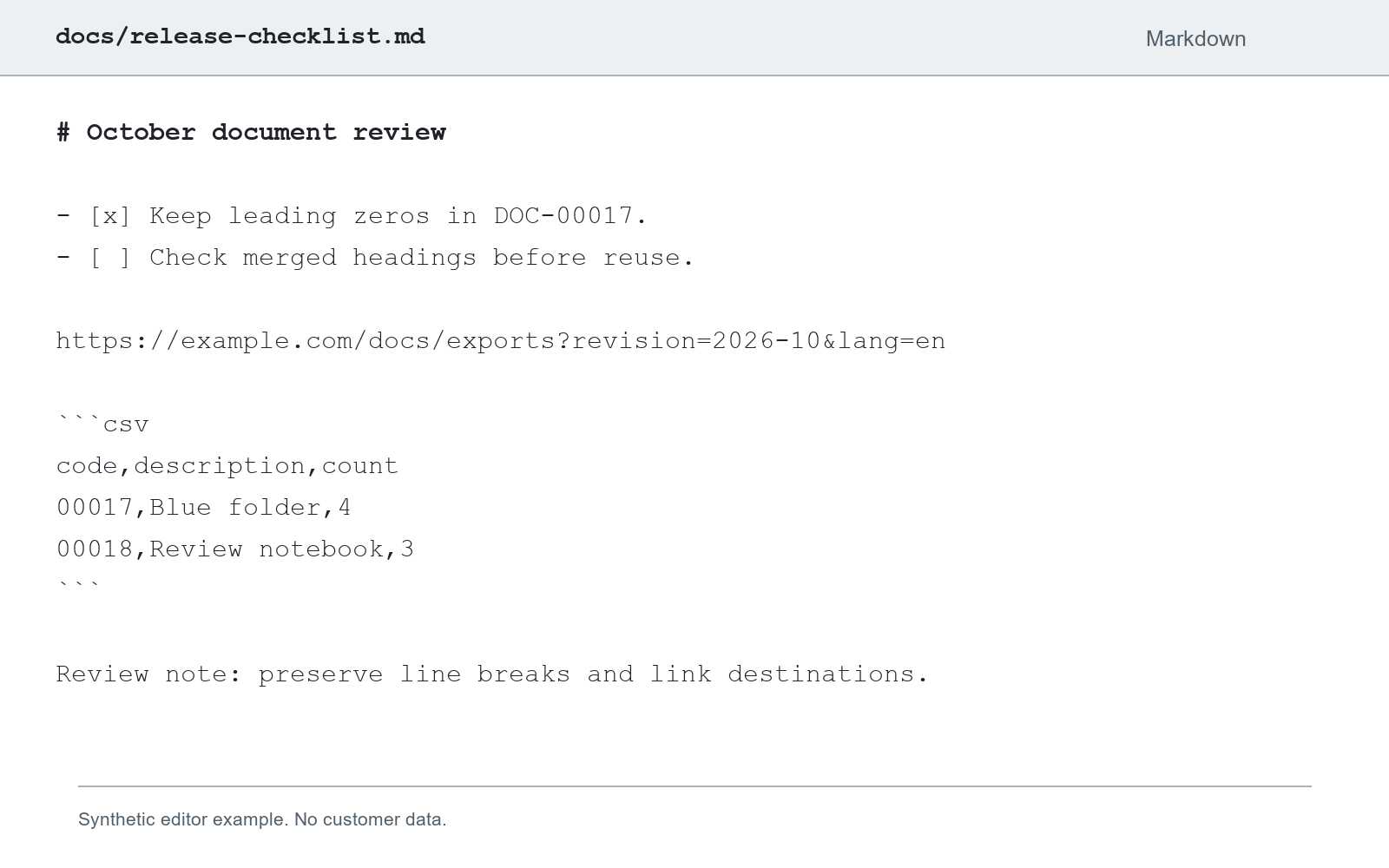
Recognized result
October document review

- [x] Keep leading zeros in DOC-00017.
- [ ] Check merged headings before reuse.

https://example.com/docs/exports?revision=2026-10&lang=en

CSV

code, description, count

00017,Blue folder,4

00018,Review notebook,3

Review note: preserve line breaks and link destinations.
Long links and small text may need a closer check against the source.
Source material
Interface screenshots
Keep full text areas and review small labels and controls.
Links and logs
Line endings, query parameters, case and symbols affect reuse.
Table screenshots
Use the table task when row and column structure matters.
Text delivery formats
| Format | Content | Boundary |
|---|---|---|
| Plain textTXT | Paragraphs, wording and list numbers | No font or table styling |
| MarkdownMD | Headings, lists and recognized source content | Review table and formula notation in your editor |
| WordDOCX | Editable paragraphs, headings, lists and supported tables | Layout, images and formulas can differ from the source |
Wording and structure
| Content | What is retained | Boundary |
|---|---|---|
| Body text | Recognized wording you can copy | Review important content; character accuracy is not guaranteed |
| Headings and lists | Recognized structure in Markdown and Word | Plain text does not retain the source fonts |
| Identifiers and links | Recognized numbers, symbols and link wording | Review leading zeros, line endings and destinations |
| Tables and formulas | Reviewable source text and supported structure | Prefer the table task for spreadsheet work |
Continue your work
Collect interface wording
Bring screenshot labels, lists and notes into your working notes.
Reuse a log excerpt
Keep line-level content and review symbols and code identifiers.
Recover a long link
Review the path and query parameters after copying.
Review before reuse
Similar characters
Check 0/O, 1/l and punctuation, especially in IDs and code.
Complete line endings
Review long links, wrapped wording and cropped content.
Reading order
Compare columns, lists and tables with their source.
Material and workflow
This image
Copy or download its existing result without another OCR run.
Document editing
Image to Word defaults to editable document content.
PDF material
Use a PDF task to review page order and multi-page content.
Text extraction questions
Before you start
- JPG and PNG images are supported, up to 10 MB per file.
- Paste an image while the text editor is not focused; text paste remains ordinary text.
- Recognition uses the existing OCR credit rules and browser history behavior.
Image text extraction
Image clarity, framing and text review
Working with JPG documents
Checks for photos and compressed images