
Image to Word
JPG and PNG source material, delivered as editable Word content.
- JPG + PNG
- DOCX
- 10 MB
Image to Word
Orchard project update
2026-10-08 DOC-00017 Review version 03
The team is preparing an editable archive of internal project notes. Each document should keep its headings, numbered actions and table content so reviewers can continue working in a document editor.
The material in this sample is synthetic and contains no real customer information. Dates, owners and task statuses are example values for review.
Delivery scope
- Review source order and important identifiers.
- Keep tables editable for the next review.
- Save the approved text as a Word document.
Review schedule
| Milestone | Owner | Due | Status |
| Draft review | Alex | October 12 | Ready |
| Table check | Morgan | October 14 | Pending |
| Final archive | Taylor | October 16 | Planned |
Next actions
- Verify DOC-00017 and all due dates.
- Compare the exported tables with the source.
Cost per document = monthly budget / reviewed documents
Reference
https://example.com/docs/document-review?revision=2026-10
From source material to editable content
Synthetic material
Source file
Report with paragraphs and table
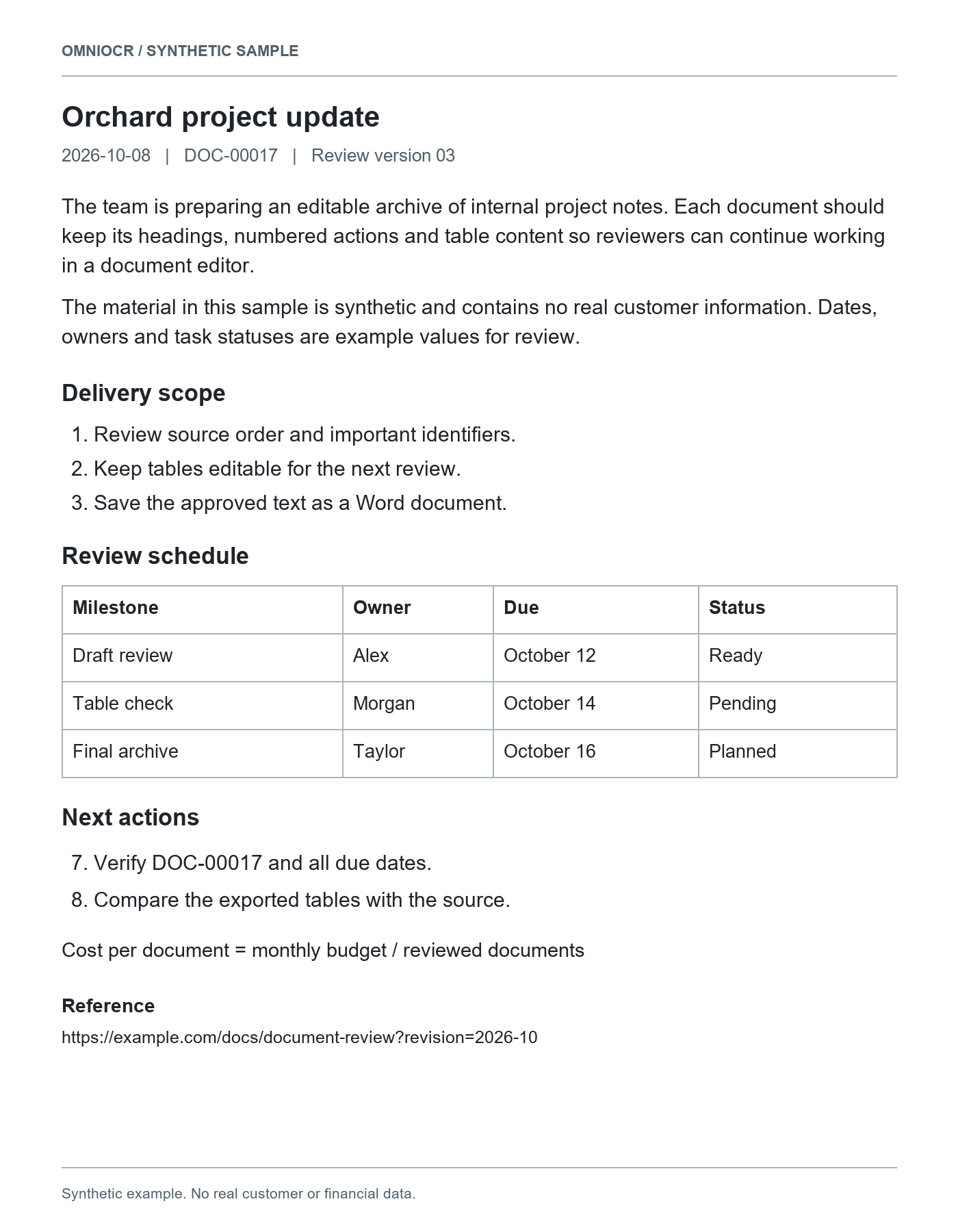
Recognized result
Orchard project update
2026-10-08 DOC-00017 Review version 03
The team is preparing an editable archive of internal project notes. Each document should keep its headings, numbered actions and table content so reviewers can continue working in a document editor.
The material in this sample is synthetic and contains no real customer information. Dates, owners and task statuses are example values for review.
Delivery scope
- Review source order and important identifiers.
- Keep tables editable for the next review.
- Save the approved text as a Word document.
Review schedule
| Milestone | Owner | Due | Status |
| Draft review | Alex | October 12 | Ready |
| Table check | Morgan | October 14 | Pending |
| Final archive | Taylor | October 16 | Planned |
Next actions
- Verify DOC-00017 and all due dates.
- Compare the exported tables with the source.
Cost per document = monthly budget / reviewed documents
Reference
https://example.com/docs/document-review?revision=2026-10
Review the exported text and structure before editing the document.
Source material
Document photos
Keep wording and tables readable, with less glare and tilt.
PNG screenshots
Keep complete paragraphs and links, including line endings.
Single-page scans
Check small text, margin notes and table headings.
File delivery
| Format | Content | Boundary |
|---|---|---|
| WordDOCX | Editable paragraphs, headings, lists and supported tables | Layout, images and formulas can differ from the source |
| Plain textTXT | Paragraphs, wording and list numbers | No font or table styling |
| MarkdownMD | Headings, lists and recognized source content | Review table and formula notation in your editor |
Word document structure
| Content | What is retained | Boundary |
|---|---|---|
| Paragraphs | Separate text paragraphs you can revise | Correct recognition mistakes against the source |
| Headings and lists | Recognized heading levels, items and numbering | Source fonts, indents and page breaks can differ |
| Tables | Editable supported cells, including row and column spans | Complex nested structures may not export reliably |
| Formulas and images | Recognized formulas remain reviewable text | No native Word equations or full-page image substitution |
Continue your work
Revise a report
Keep sections and paragraphs while editing wording and lists.
Organize project material
Bring dates, identifiers and action items into a working draft.
Reuse a document with tables
Review editable cell content, amounts and merged headings.
Review before reuse
Sections and line endings
Check complete paragraphs and the headings they belong to.
Identifiers and dates
Review leading zeros, starting numbers, dates and links.
Tables and formulas
Compare cells and totals; formulas need text-level review.
Material and workflow
This document
Review one result and export it again without repeating OCR.
Multiple documents
The existing queue runs in order, with separate file results.
Mostly table data
Use the table task for table-first review and Excel output.
Word delivery questions
Before you start
- JPG and PNG images are supported, up to 10 MB per file.
- Word contains editable paragraphs, headings, lists, and supported tables; it does not recreate the image as a full-page picture.
- Original layout and formulas may differ. Recognition uses the existing OCR credit rules.
Image text extraction
Image clarity, framing and text review
Working with JPG documents
Checks for photos and compressed images