
PDF 转 Markdown
PDF 中的正文、标题、列表和表格,整理为 Markdown 资料。
- MD
- 10 MB
PDF 转 Markdown
## Orchard project update

2026-10-08 DOC-00017 Review version 03

The team is preparing an editable archive of internal project notes. Each document should keep its headings, numbered actions and table content so reviewers can continue working in a document editor.

The material in this sample is synthetic and contains no real customer information. Dates, owners and task statuses are example values for review.

## Delivery scope

1. Review source order and important identifiers.

2. Keep tables editable for the next review.

3. Save the approved text as a Word document.

## Review schedule

<table border="1"><tr><td>Milestone</td><td>Owner</td><td>Due</td><td>Status</td></tr><tr><td>Draft review</td><td>Alex</td><td>October 12</td><td>Ready</td></tr><tr><td>Table check</td><td>Morgan</td><td>October 14</td><td>Pending</td></tr><tr><td>Final archive</td><td>Taylor</td><td>October 16</td><td>Planned</td></tr></table>

## Next actions

7. Verify DOC-00017 and all due dates.

8. Compare the exported tables with the source.

Cost per document = monthly budget / reviewed documents

## Reference

https://example.com/docs/document-review?revision=2026-10

## Procurement appendix - page 2

2026-10-08 Purchase group Q4 Synthetic records

<table border="1"><tr><td rowspan="2">Supplier</td><td colspan="4">Purchase</td></tr><tr><td>Item</td><td>Qty</td><td>Unit price</td><td>Amount(USD)</td></tr><tr><td>Orchard Tools</td><td>SKU 00017Blue folders</td><td>4</td><td>2.50</td><td>10.00</td></tr><tr><td>Orchard Tools</td><td>SKU 00018Review notebooks</td><td>3</td><td>6.50</td><td>19.50</td></tr><tr><td colspan="4">Subtotal(USD)</td><td>29.50</td></tr></table>

## Payment summary

<table border="1"><tr><td>Key</td><td>Value</td></tr><tr><td>Reference</td><td>PAY-0009</td></tr><tr><td>Tax(13%)</td><td>3.84</td></tr><tr><td>Total(USD)</td><td>33.34</td></tr></table>

## Inventory check

<table border="1"><tr><td>Code</td><td>Units</td><td>Warehouse</td></tr><tr><td>00017</td><td>4</td><td>A</td></tr><tr><td>00018</td><td>3</td><td>B</td></tr></table>

## Final checkpoint: ORCHARD-QUALITY-2408
PDF 材料与 Markdown 原文
合成材料
源文件
报告与采购附录
PDF 首页
识别结果
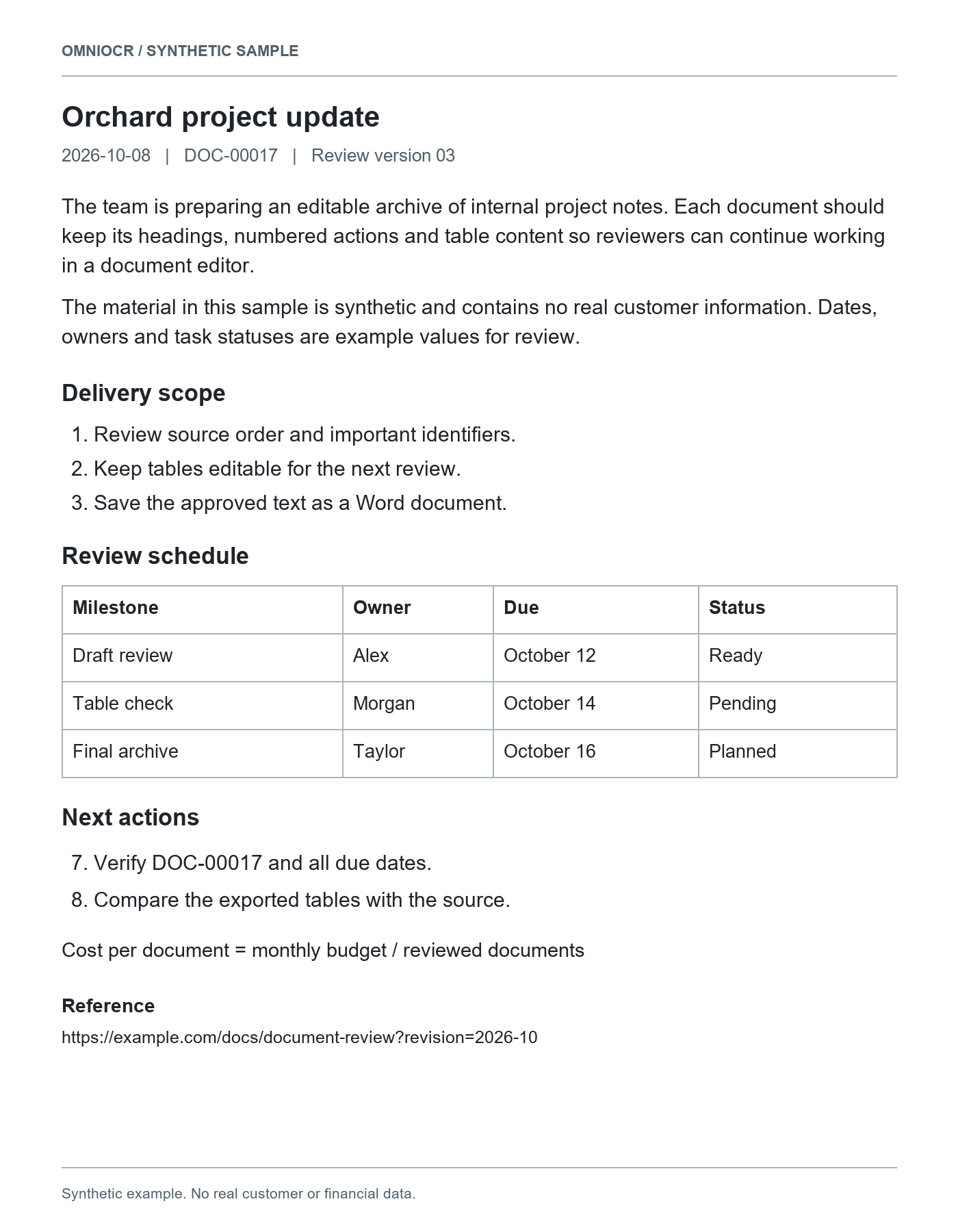
## Orchard project update

2026-10-08 DOC-00017 Review version 03

The team is preparing an editable archive of internal project notes. Each document should keep its headings, numbered actions and table content so reviewers can continue working in a document editor.

The material in this sample is synthetic and contains no real customer information. Dates, owners and task statuses are example values for review.

## Delivery scope

1. Review source order and important identifiers.

2. Keep tables editable for the next review.

3. Save the approved text as a Word document.

## Review schedule

<table border="1"><tr><td>Milestone</td><td>Owner</td><td>Due</td><td>Status</td></tr><tr><td>Draft review</td><td>Alex</td><td>October 12</td><td>Ready</td></tr><tr><td>Table check</td><td>Morgan</td><td>October 14</td><td>Pending</td></tr><tr><td>Final archive</td><td>Taylor</td><td>October 16</td><td>Planned</td></tr></table>

## Next actions

7. Verify DOC-00017 and all due dates.

8. Compare the exported tables with the source.

Cost per document = monthly budget / reviewed documents

## Reference

https://example.com/docs/document-review?revision=2026-10

## Procurement appendix - page 2

2026-10-08 Purchase group Q4 Synthetic records

<table border="1"><tr><td rowspan="2">Supplier</td><td colspan="4">Purchase</td></tr><tr><td>Item</td><td>Qty</td><td>Unit price</td><td>Amount(USD)</td></tr><tr><td>Orchard Tools</td><td>SKU 00017Blue folders</td><td>4</td><td>2.50</td><td>10.00</td></tr><tr><td>Orchard Tools</td><td>SKU 00018Review notebooks</td><td>3</td><td>6.50</td><td>19.50</td></tr><tr><td colspan="4">Subtotal(USD)</td><td>29.50</td></tr></table>

## Payment summary

<table border="1"><tr><td>Key</td><td>Value</td></tr><tr><td>Reference</td><td>PAY-0009</td></tr><tr><td>Tax(13%)</td><td>3.84</td></tr><tr><td>Total(USD)</td><td>33.34</td></tr></table>

## Inventory check

<table border="1"><tr><td>Code</td><td>Units</td><td>Warehouse</td></tr><tr><td>00017</td><td>4</td><td>A</td></tr><tr><td>00018</td><td>3</td><td>B</td></tr></table>

## Final checkpoint: ORCHARD-QUALITY-2408
请对照源 PDF 检查页序、标题和表格内容。
源材料
扫描资料
清晰页面保留完整边缘,先移除文件保护。
数字 PDF
仍会按识别流程处理,重点核对阅读顺序。
混排文档
文字、列表和表格分别核对,不以版式相似代替内容检查。
资料交付格式
| 格式 | 内容 | 边界 |
|---|---|---|
| MarkdownMD | 标题、列表及识别原文 | 表格和公式写法需在目标编辑器核对 |
| 纯文字TXT | 段落、文字和列表编号 | 不保留字体或表格样式 |
| WordDOCX | 可编辑段落、标题、列表和常见表格 | 版式、图片和公式可能与原件不同 |
Markdown 内容结构
| 内容 | 保留方式 | 边界 |
|---|---|---|
| 标题 | 识别到的章节以标题文本表达 | 层级仍需对照原文,不保证完全一致 |
| 段落与清单 | 保留识别正文、项目和编号 | 多栏和边注可能影响阅读顺序 |
| 表格 | 原文可能包含Markdown或HTML表格 | 复杂合并在不同编辑器中显示不同 |
| 公式 | 保留识别到的公式文本或LaTeX | 符号需人工核对,目标编辑器需支持渲染 |
资料后续工作
笔记整理
把章节和清单带入支持Markdown的笔记工具。
文档资料库
保存可检索的文字原文,保留源PDF便于核对。
表格与公式摘录
保留写法后,在目标编辑器检查实际显示。
整理前核对
页序与末页
确认两页以上材料连续,末页内容没有遗漏。
标题和表格写法
检查标题层级,以及HTML表格在目标工具的显示。
符号与链接
核对公式字符、列表编号和链接目标。
PDF 资料常见问题
使用说明
- 支持最大 10 MB、10 页的 PDF。加密、损坏或页数更多的文档会被拒绝。
- 扫描页会识别为文字,页序不等于还原原始页面版式。
- 可识别的公式以便于核对的文本返回。沿用现有 OCR 积分规则。
扫描 PDF 文字提取
页数、页序与扫描资料核对
PDF 整理为 Markdown
标题、表格和公式文本